NDIS Invoicing Guide 2026-27: How to Invoice as an NDIS Support Worker
This NDIS invoicing guide covers how to invoice as an NDIS support worker in Australia in 2026-27: who to send your invoice to, the NDIS invoice requirements every plan manager checks, how GST and travel work, the new claiming deadlines, and the mistakes that most often get invoices sent back.
1. Who you send your NDIS invoice to
Before you invoice a new participant, find out how their plan is managed. It decides where your invoice goes and how you get paid:
- Plan-managed: you email the invoice to their plan manager, who pays you from the participant’s funding.
- Self-managed: you send the invoice to the participant or their nominee. They pay you and claim the money back from the NDIS.
- Agency-managed (NDIA-managed): you don’t send an invoice. You make a payment request through the NDIA’s online provider portal, and you must be a registered NDIS provider to do this.
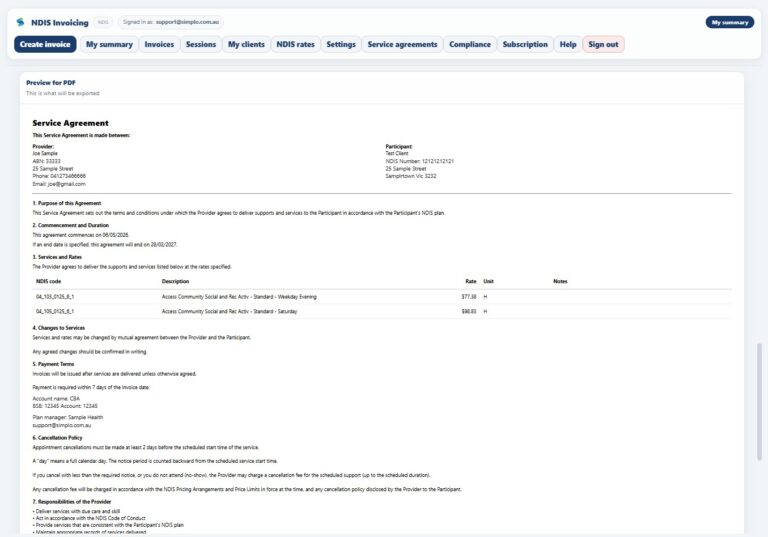
Ask about this before your first session, and record it in your service agreement. If you don’t have one yet, our NDIS service agreement guide walks you through it.
2. NDIS invoice requirements: what must be on every invoice
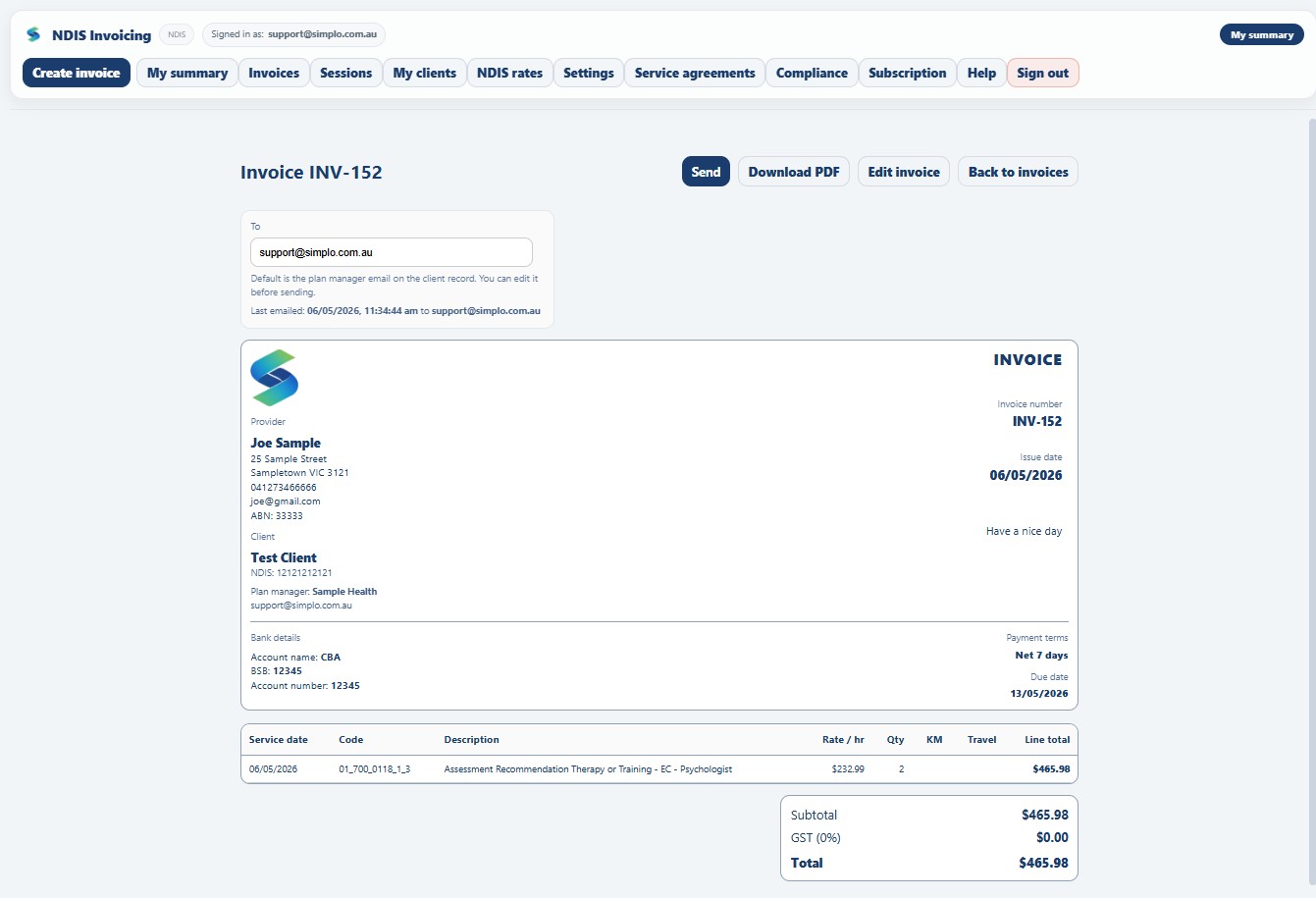
Plan managers process thousands of invoices, and anything missing usually means yours gets sent back. Use this checklist from our NDIS invoicing guide for every invoice:
Your details as the provider:
- Your full name or business name
- Your ABN. If you are exempt from having one, attach the ATO’s statement by a supplier form instead
- Your contact details (email and phone)
- Your NDIS registration number, if you are a registered provider
The participant’s details:
- The participant’s full name
- Their 9-digit NDIS number
- One participant per invoice. Never combine two participants on the same invoice
Invoice details:
- A unique invoice number
- The date the invoice was issued
- The payment due date
A separate line for each support, on each date:
- The exact date the support was delivered. Use one line per date, not a date range such as “1 to 14 October”
- The NDIS support item number from the current NDIS Pricing Arrangements and Price Limits
- A short description of the support
- The hours or quantity, and the rate charged
- The line total, and whether GST applies
- Any provider travel on its own line, separate from the support itself
Your payment details:
- Account name, BSB and account number
Want a ready-made layout? Download our free NDIS invoice template in Excel or Word. It includes every field on this checklist.
The NDIS itself also needs the participant’s name, NDIS number, dates of support, support item number and price for every payment request, which is why plan managers insist on all of them. You can read more on the NDIS page on invoicing and record keeping.
3. GST on NDIS invoices
Most supports you deliver to NDIS participants are GST-free, but only when all of these conditions are met:
- The participant has an NDIS plan in effect
- The support is a reasonable and necessary support listed in their plan
- You have a written agreement (usually your service agreement) that identifies the participant and states the support is one of the reasonable and necessary supports in their plan
- The support is a type covered by the NDIS GST-free rules
What this means for your invoice: you only need to register for GST once your business turnover reaches $75,000 a year. If you are registered, label your invoice as a Tax Invoice and show each NDIS support as GST-free. The ATO explains the conditions on its NDIS GST page. GST can be complicated, so check your situation with your accountant.
4. How to find the right NDIS support item number
Using the wrong support item number is one of the most common reasons invoices are rejected. The codes and price limits come from the NDIS Pricing Arrangements and Price Limits, often still called the “price guide”. It is updated every July, and sometimes during the year, so a code you used last year may no longer be correct.
Common support categories for support workers include:
Within a category, the right item often depends on when the support happened. Weekday daytime, weekday evening, night, Saturday, Sunday and public holiday supports usually have different item numbers and price limits. A shift that runs from 2pm to 10pm, for example, may need two lines: one for the daytime hours and one for the evening hours.
You must never charge more than the price limit for the item you’re claiming.
5. Charging for travel
You may be able to claim for travel to and from a participant, as long as it is allowed under the Pricing Arrangements and agreed with the participant in your service agreement. There are usually two parts:
- Travel time (provider travel, labour costs), claimed against the same support item at the same rate, within the time limits set in the Pricing Arrangements
- Kilometres (provider travel, non-labour costs), claimed per kilometre against the matching travel item, up to the current per-km limit
Put travel on its own invoice line with the date, kilometres and travel item number. Plan managers often query travel that is bundled into a support line. Check the current per-kilometre limit in the Pricing Arrangements each July.
6. When to send your invoice, and the new 90-day claiming window
Until now, providers have had up to 2 years after a support was delivered to claim it. That is changing. The NDIS Amendment (Securing the NDIS for Future Generations) Act passed Parliament in August 2026, and it shortens the claiming window to 90 days from the date of service. The 90-day limit is expected to start from 1 December 2026, with final details still being set out in NDIA rules and guidance.
What this means for you: invoices you leave sitting for months could become unpayable. Plan managers also need time to process your invoice and lodge their own claim within the window, so don’t send it on day 89.
If you take one habit from this NDIS invoicing guide, make it this one: invoice weekly or fortnightly for each participant. It keeps your cash flow steady and keeps you well inside the deadline. Most plan managers pay compliant invoices within about 5 to 10 business days of receiving them.
Send invoices as a PDF, to the plan manager’s dedicated invoices email address, with the participant’s name in the subject line.
7. Records to keep
The new NDIS laws also strengthen record keeping, and providers can face penalties for not keeping the records they’re required to. Keep:
- A copy of every invoice you send
- Your service agreements, signed and current
- Session or shift notes showing what support was delivered, when, and for how long
- Payment records showing when you were paid
Notes written at the time of the support are the strongest evidence that an invoice is genuine. Registered providers have formal record keeping obligations under the NDIS Practice Standards, and every provider should keep records long enough to answer any query about a past claim.
Common NDIS invoicing mistakes to avoid
- Using an old support item number. Check the current Pricing Arrangements, especially after 1 July each year.
- Using a date range instead of one line per date. Each support needs its own date.
- Missing the participant’s NDIS number. It’s needed on every invoice.
- Charging above the price limit. You can’t charge more than the limit for the item.
- Using a daytime code for an evening or weekend shift. Split the shift across the correct items.
- Bundling travel into the support line. Put travel on its own line.
- Putting two participants on one invoice. Send one invoice per participant.
- Leaving it too late. With the 90-day claiming window, invoice weekly or fortnightly.
Do you need to be a registered NDIS provider to invoice?
Not always. If your participants are plan-managed or self-managed, you can currently invoice as an unregistered provider. You still need an ABN, and you must stay within the NDIS price limits.
If your participant is agency-managed, you must be registered to claim through the NDIA’s portal.
Registration is also becoming mandatory for more providers. Supported independent living and platform providers have had to be registered since 1 July 2026, and mandatory registration is expected to expand to personal care, daily living supports and supports in closed settings from July 2027, rolling out through to 2030. If you deliver these supports, it’s worth starting to prepare now.
NDIS invoicing guide: common questions
How do I invoice the NDIS as a support worker?
Find out how the participant’s plan is managed, then create an invoice with your ABN, the participant’s name and NDIS number, one line per support date with the correct support item number, and your bank details. Email it to the plan manager or the self-managed participant. For agency-managed participants, registered providers make a payment request through the NDIA’s portal instead.
How long do I have to claim for an NDIS support?
It has been up to 2 years, but new NDIS laws shorten this to 90 days from the date of service, expected from 1 December 2026. Invoice weekly or fortnightly so you stay well within the window.
Do I charge GST on NDIS invoices?
Usually not. Most supports to NDIS participants are GST-free when the conditions are met, including a written agreement. You only need to register for GST once your turnover reaches $75,000 a year. Check your situation with your accountant.
Can I use one invoice for a whole fortnight?
Yes, for one participant, as long as each date of support is on its own line. Don’t use a single date range, and don’t combine more than one participant.
Where do I find NDIS support item numbers?
In the NDIS Pricing Arrangements and Price Limits, published on the NDIS website and updated each July. Invoicing software with the price limits built in saves you looking codes up by hand.
This NDIS invoicing guide is general information only, not legal, tax or financial advice. Always check current NDIA guidance and talk to your accountant about your own situation.
Make NDIS invoicing quicker with Simplo
Everything in this NDIS invoicing guide is built into Simplo, NDIS invoicing software made for Australian support workers. The NDIS price limits are built in, invoices are created from your sessions with one line per date, travel goes on its own line, and you can split a shift across two rate bands. Email invoices straight to plan managers, and sync with Xero or QuickBooks.
See how Simplo Solo works30-day free trial · No credit card required · iPhone, Android and web